

Starting Universe vs. Eligible Universe
The Starting Universe is the broad source universe selected at the beginning of the step.The Eligible Universe is the refined universe that remains after all filters, exclusions, and screens are applied.For example, a user may start with a global point-in-time equity universe, then narrow it by geography, size segment, security type, liquidity, sanctions screens, and discretionary exclusions. The securities that remain after these rules are applied form the final eligible universe.
Starting Universe
Morningstar US Target Market Exposure Index
Morningstar US Target Market Exposure Index
The Morningstar US Target Market Exposure Index provides broad exposure to the U.S. public equity market across large- and mid-cap stocks. It represents the top 85% of the U.S. investable universe by market capitalization, with eligible stocks weighted by float-adjusted market capitalization. It can be used as a U.S. large- and mid-cap equity starting universe and serves as a benchmark-equivalent alternative to the S&P 500 Index.Index Code: MSUTMETU
Coverage: United States
Countries: 1
Securities: Approximately 500
Asset Class: Equity
Market Segment: Large- & Mid-Caps
Reconstitution Frequency: Semi Annually
Rebalance Frequency: Quarterly
Inception Date: June 30, 1998
Coverage: United States
Countries: 1
Securities: Approximately 500
Asset Class: Equity
Market Segment: Large- & Mid-Caps
Reconstitution Frequency: Semi Annually
Rebalance Frequency: Quarterly
Inception Date: June 30, 1998
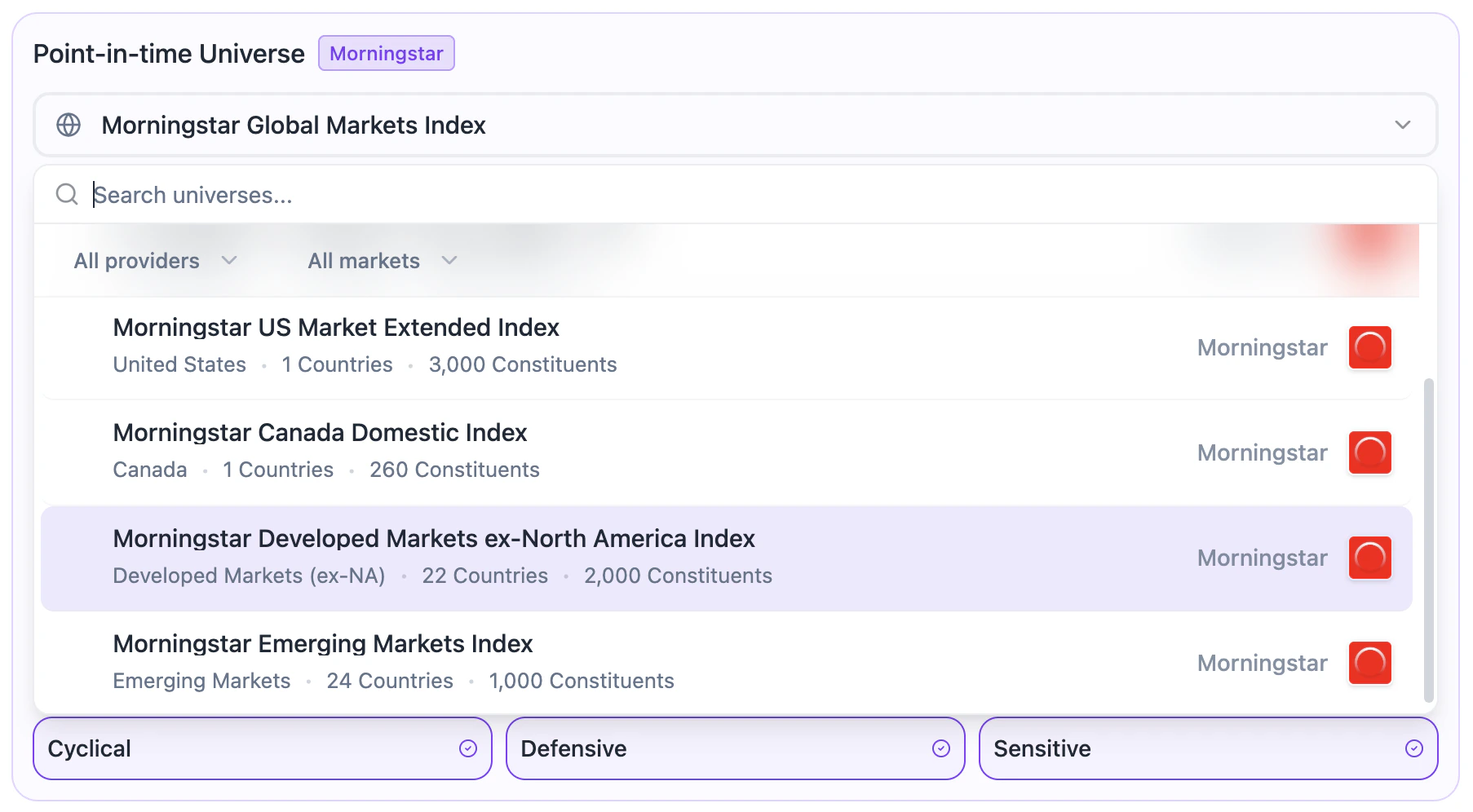
Morningstar US Market Extended Index
Morningstar US Market Extended Index
The Morningstar US Market Extended Index provides broad exposure to the U.S. public equity market. It represents the top 99.5% of the U.S. investable universe by market capitalization, with eligible stocks weighted by float-adjusted market capitalization. It can be used as a U.S. all-cap equity starting universe and serves as a benchmark-equivalent alternative to the Russell 3000 Index.Index Code: MUMEXTGU
Coverage: United States
Countries: 1
Securities: Approximately 2,400
Asset Class: Equity
Market Segment: All Caps
Reconstitution Frequency: Semi Annually
Rebalance Frequency: Quarterly
Inception Date: June 30, 1997
Coverage: United States
Countries: 1
Securities: Approximately 2,400
Asset Class: Equity
Market Segment: All Caps
Reconstitution Frequency: Semi Annually
Rebalance Frequency: Quarterly
Inception Date: June 30, 1997
Morningstar Canada Domestic Index
Morningstar Canada Domestic Index
The Morningstar Canada Domestic Index provides broad exposure to the Canadian public equity market. It represents the top 97% of the Canadian investable universe by market capitalization, with eligible stocks weighted by domestic float-adjusted market capitalization. It can be used as a Canadian equity starting universe and serves as a benchmark-equivalent alternative to the S&P/TSX Composite Index.Index Code: MSCAUSDG
Coverage: Canada
Countries: 1
Securities: Approximately 250
Asset Class: Equity
Market Segment: All Caps
Reconstitution Frequency: Semi Annually
Rebalance Frequency: Quarterly
Inception Date: June 30, 1998
Coverage: Canada
Countries: 1
Securities: Approximately 250
Asset Class: Equity
Market Segment: All Caps
Reconstitution Frequency: Semi Annually
Rebalance Frequency: Quarterly
Inception Date: June 30, 1998
Morningstar Developed Markets ex-North America Index
Morningstar Developed Markets ex-North America Index
The Morningstar Developed Markets ex-North America Index provides broad exposure to developed public equity markets outside North America. It represents the top 97% of the developed ex-North America investable universe by market capitalization, covering large-, mid-, and small-cap stocks. It can be used as an international developed-market starting universe and serves as a benchmark-equivalent alternative to the MSCI EAFE Index.Index Code: MSDIGUS
Coverage: Developed Markets (ex-North America)
Countries: 22
Securities: Approximately 2,500
Asset Class: Equity
Market Segment: All Caps
Reconstitution Frequency: Semi Annually
Rebalance Frequency: Quarterly
Inception Date: June 30, 1998
Coverage: Developed Markets (ex-North America)
Countries: 22
Securities: Approximately 2,500
Asset Class: Equity
Market Segment: All Caps
Reconstitution Frequency: Semi Annually
Rebalance Frequency: Quarterly
Inception Date: June 30, 1998
Morningstar Emerging Markets Index
Morningstar Emerging Markets Index
The Morningstar Emerging Markets Index provides broad exposure to emerging public equity markets across large-, mid-, and small-cap stocks. It represents the top 97% of the emerging markets investable universe by market capitalization. It can be used as an emerging markets equity starting universe and serves as a benchmark-equivalent alternative to the MSCI Emerging Markets Index.Index Code: MEMMG
Coverage: Emerging Markets
Countries: 24
Securities: Approximately 3,800
Asset Class: Equity
Market Segment: All Caps
Reconstitution Frequency: Semi Annually
Rebalance Frequency: Quarterly
Inception Date: June 30, 1998
Coverage: Emerging Markets
Countries: 24
Securities: Approximately 3,800
Asset Class: Equity
Market Segment: All Caps
Reconstitution Frequency: Semi Annually
Rebalance Frequency: Quarterly
Inception Date: June 30, 1998
Morningstar Global Markets Index
Morningstar Global Markets Index
The Morningstar Global Markets Index provides broad exposure to global public equity markets across both developed and emerging markets. It represents the top 97% of the global investable equity universe by market capitalization. It can be used as a global equity starting universe for diversified strategies requiring broad worldwide market exposure and serves as a benchmark-equivalent alternative to the MSCI ACWI Index.Index Code: MSGMUSDG
Coverage: Global Markets
Countries: 48
Securities: Approximately 7,700
Asset Class: Equity
Market Segment: All Caps
Reconstitution Frequency: Semi Annually
Rebalance Frequency: Quarterly
Inception Date: June 30, 1998
Coverage: Global Markets
Countries: 48
Securities: Approximately 7,700
Asset Class: Equity
Market Segment: All Caps
Reconstitution Frequency: Semi Annually
Rebalance Frequency: Quarterly
Inception Date: June 30, 1998
Quick Segmentation
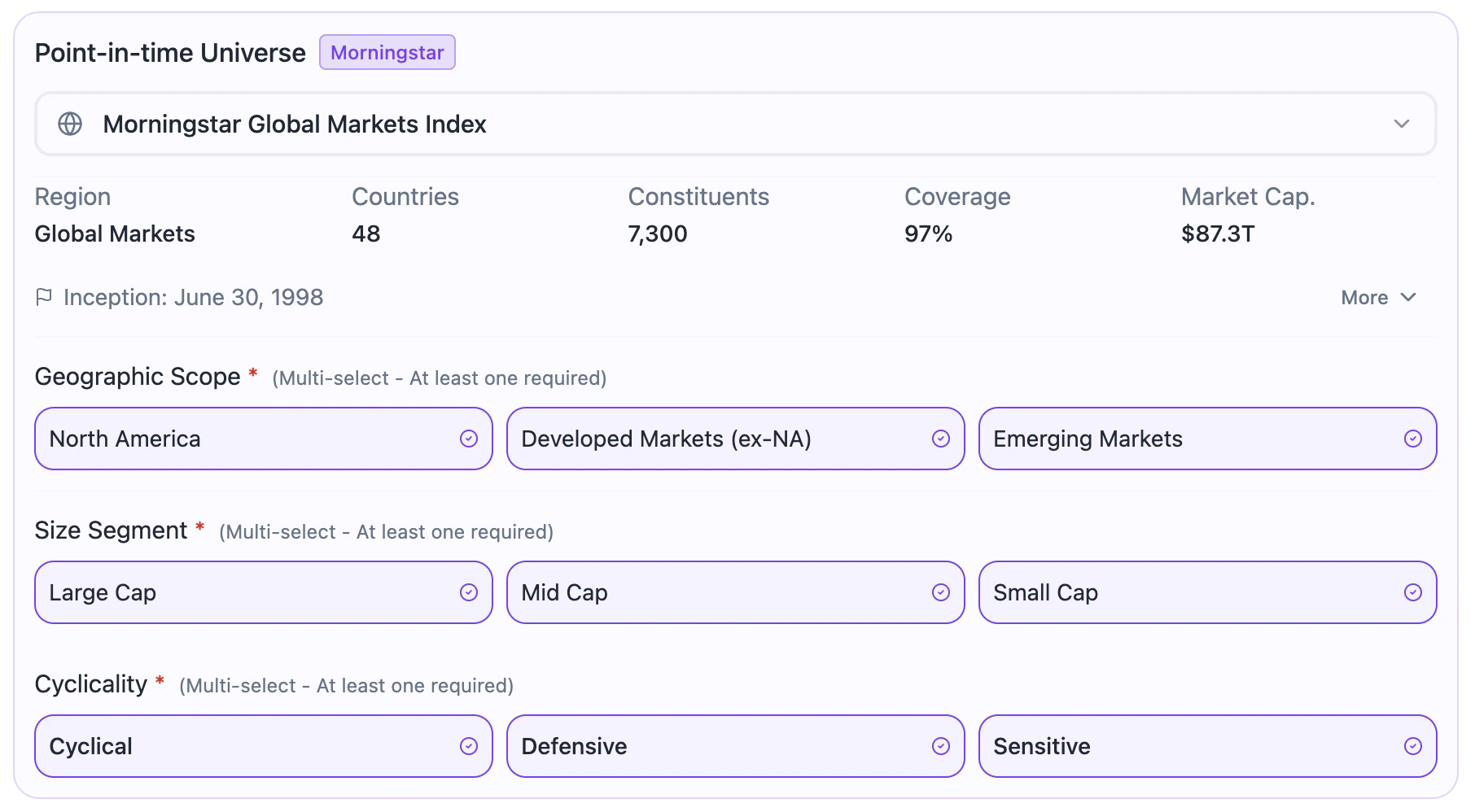
After selecting the starting universe, users can apply index provider-based segmentation criteria to narrow the universe before applying more advanced eligibility rules. The quick segmentation fields include:-
Geographic Scope
Defines the regional exposure of the universe. Available options include North America, Developed Markets excluding North America, or Emerging Markets. Geographic Scope is based on Morningstar Indexes’ market and country classification framework. This allows users to quickly include or exclude broad regional exposures before applying more detailed region, country, exchange, liquidity, or mandate filters.
 North America
- Canada
- United States
Developed Markets ex-NA- Australia
- Austria
- Belgium
- Denmark
- Finland
- France
- Germany
- Greece
- Hong Kong
- Ireland
- Israel
- Italy
- Japan
- Netherlands
- New Zealand
- Norway
- Poland
- Portugal
- Singapore
- Spain
- Sweden
- Switzerland
- United Kingdom
Emerging Markets- Brazil
- Cayman Islands
- Chile
- China
- Colombia
- Czech Republic
- Egypt
- Hungary
- India
- Indonesia
- Kuwait
- Malaysia
- Mexico
- Morocco
- Pakistan
- Peru
- Philippines
- Qatar
- Russia
- Saudi Arabia
- South Africa
- South Korea
- Taiwan
- Thailand
- Turkey
- United Arab Emirates
-
Size Segment
Defines the market capitalization segment. Available options include Large Cap, Mid Cap, or Small Cap. Size Segment is based on Morningstar’s portfolio construction methodology for the Global Markets Indexes. This allows users to quickly include or exclude broad capitalization segments before applying more precise size, liquidity, history, sector, geography, or mandate filters.
 Large Cap : Represents the largest companies in the selected universe, covering the top 70% of cumulative market capitalization.Mid Cap : Represents the next layer of companies, covering the range from 70% to 90% of cumulative market capitalization.Small Cap : Represents smaller companies beyond the 90% cumulative market capitalization threshold, up to the coverage limit.
 -
Cyclicality
Defines the economic sensitivity profile of the universe. Available options include Cyclical, Defensive, and Sensitive. These three categories correspond to the three super sectors under Morningstar’s Global Equity Classification Structure (GECS), which groups sectors according to their economic sensitivity profile. This allows users to quickly include or exclude broad economic segments before applying more detailed sector, industry, liquidity, or mandate filters.
 Cyclical
- Basic Materials
- Consumer Cyclical
- Financial Services
- Real Estate
Defensive- Consumer Defensive
- Healthcare
- Utilities
Sensitive- Communication Services
- Energy
- Industrials
- Technology
Eligibility & Exclusion Rules
Eligibility and exclusion rules define which securities are allowed to remain in the universe before the model applies ranking, scoring, and selection logic.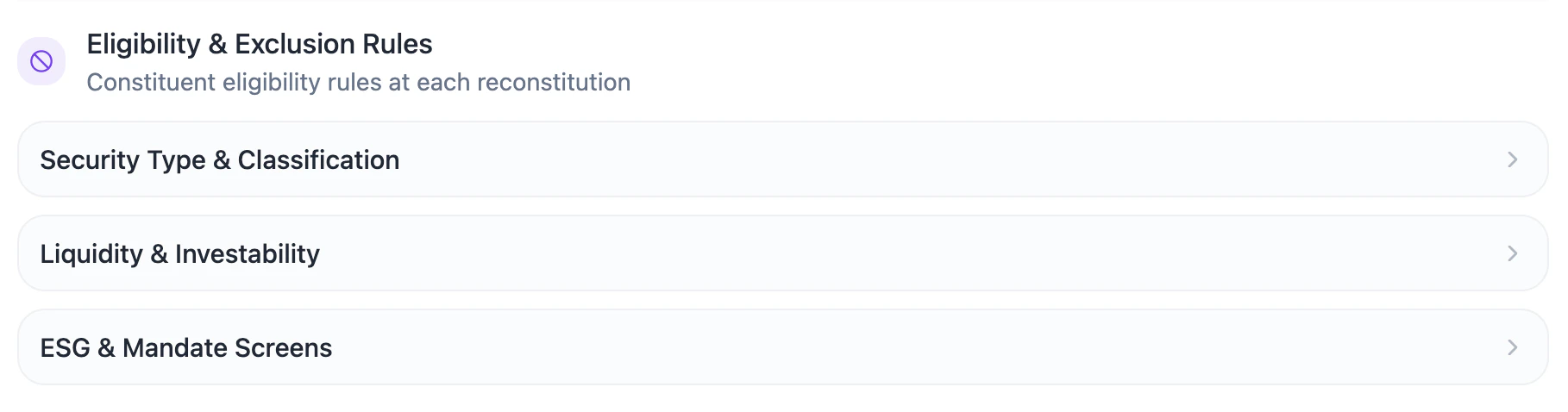
Security Type & Classification
This section controls which security types and classifications are eligible.
Primary Share Class

Use Primary Share Class when you want the model to treat each parent company as a single investable issuer.This is especially useful for:
- avoiding duplicate exposure to the same company
- improving universe cleanliness
- reducing concentration created by multiple share classes
- supporting cleaner ranking, selection, and weighting logic
Security Types

Sectors, Industry Groups, & Industries
Users can include or exclude securities based on sector, industry group, or industry classifications. The classification framework used in BIASafe are based on Morningstar’s Global Equity Classification Structure (GECS) methodology.Morningstar Global Equity Classification Structure (GECS)
Morningstar Global Equity Classification Structure (GECS)
GECS organizes companies into a hierarchical structure that helps users understand what a company does, how it generates revenue, and which part of the economy it belongs to.Beyond the three super sectors used in Quick Segmentation, the classification hierarchy used in this section follows three main levels: Sector, Industry Group, and Industry.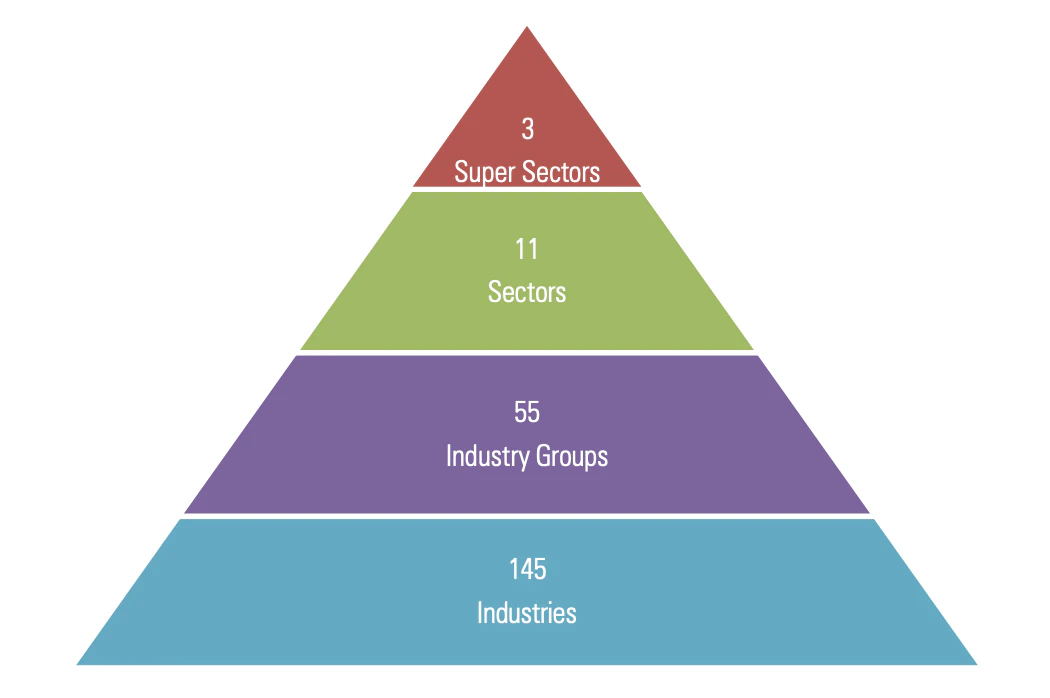
- Sectors (11)
- Industry Groups (55)
- Industries (145)
Industry groups are aggregated into 11 sectors. Sectors represent the broadest classification level used in this section and organize companies into major areas of the economy.The 11 GECS sectors are:
- Basic Materials
- Communication Services
- Consumer Cyclical
- Consumer Defensive
- Energy
- Financial Services
- Healthcare
- Industrials
- Real Estate
- Technology
- Utilities
- Simple View
- Advanced View


Search and Navigation
Search and Navigation

Reset Selections
Reset Selections

Exclusion LogicExclusions follow a hierarchical logic.When a parent classification is excluded, all classifications below it are also excluded.For example:
- Excluding a sector excludes all industry groups and industries within that sector.
- Excluding an industry group excludes all industries within that industry group.
- Excluding an industry excludes only that specific industry.
Regions, Countries, & Exchanges
Users can include or exclude securities based on region, country, or exchange classifications. The geographic classification framework used in BIASafe is based on Morningstar’s Global Markets Index construction rulebook. BIASafe preserves these classifications to support point-in-time universe construction and geographic exclusions.Morningstar Global Market Classification Framework
Morningstar Global Market Classification Framework
Morningstar assigns each security to a country using a rules-based classification process. This classification may consider the company’s country of incorporation, primary listing, business location, revenue exposure, assets, and other factors when required.Morningstar also groups countries into developed and emerging markets across major regions, including the Americas, Asia Pacific, Europe, and Middle East & Africa. These classifications are used by BIASafe to support geographic filtering and market segmentation.
- Regions (8)
- Countries (53)
- Exchanges (91)
Regions represent the broadest geographic classification level used in this section.They group countries into larger market areas and allow users to exclude entire geographic exposures quickly. The region labels used in BIASafe include:
- North America,
DNA - Europe (Developed),
DEU - Europe (Emerging),
EEU - Asia-Pacific (Developed),
DAP - Asia (Emerging),
EAS - Latin America & Caribbean,
ELA - Middle East & Africa (Developed),
DMA - Middle East & Africa (Emerging),
EMA
- Simple View
- Advanced View


Search and Navigation
Search and Navigation

Reset Selections
Reset Selections

Exclusion LogicExclusions follow a hierarchical logic.When a parent geographic category is excluded, all categories below it are also excluded.For example:
- Excluding a region excludes all countries and exchanges within that region.
- Excluding a country excludes all exchanges within that country.
- Excluding an exchange excludes only securities listed or traded on that specific exchange.
Liquidity & Investability

Liquidity Filters
Liquidity filters help define whether a security is practical to include in the eligible universe. They are especially important for strategies that may later be deployed in production, where trading capacity, execution quality, and market impact matter.Security Price (USD): Exclude low-priced securities
Security Price (USD): Exclude low-priced securities

Average Dollar Volume (USD): Screen for trading liquidity
Average Dollar Volume (USD): Screen for trading liquidity

Free Float (%): Assess public share availability
Free Float (%): Assess public share availability

Size Filters
Size filters help define whether a security fits the intended scale and capacity profile of the strategy. They are especially important for controlling exposure to smaller companies, aligning the universe with the mandate, and avoiding securities that may be too small for efficient implementation.Market Capitalization (USD): Control strategy capacity
Market Capitalization (USD): Control strategy capacity

History Filters
History filters help define whether a security has enough trading history to be included in the eligible universe. They are especially important for avoiding newly listed securities with limited data, unstable liquidity, or early post-listing behavior that may distort backtest results and portfolio construction.Listing History (Days): Avoid newly listed securities
Listing History (Days): Avoid newly listed securities

Filter Combination LogicLiquidity, size, and history filters are cumulative.They are not mutually exclusive and do not replace the filters applied in other sections. Instead, each active filter adds another eligibility condition to the universe.A security must pass all active filters to remain eligible.For example, if the user applies:
- Geographic Scope: North America
- Security Type: Common Stock
- Price Floor: US$5.00
- Minimum 20-Day Average Dollar Volume: US$1 million
- Minimum Market Cap: US$1 billion
- Listing History: 252 trading days
ESG & Mandate Screens
Compliance & Policy Screens

Manual Security Overrides
Manual Security Overrides are used when a mandate requires specific securities to be explicitly excluded or included, regardless of the results produced by the selected universe, classification, geography, liquidity, size, or history filters. BIASafe provides two override modes: Exclusions and Inclusions.- Exclusion List
- Keyword-Based Exclusions


ESG Screens
Benchmark Selection

